• What is Digital Citizenship?
  • What is Netiquette?
  • Student's Safety
  • Copyright, Plagiarism, & Fair Use
  • Digital Access In Your Classroom
  • Classroom Technology Rules
  • Acceptable Technology Use Policy for Students
  • What is Digital Citizenship?
  • What is Netiquette?
  • Student's Safety
  • Copyright, Plagiarism, & Fair Use
  • Digital Access In Your Classroom
  • Classroom Technology Rules
  • Acceptable Technology Use Policy for Students

Digital Access In Your Classroom

What Is Digital Access?

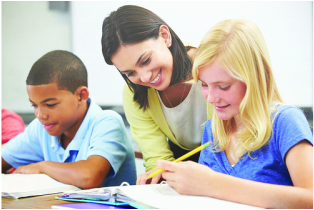
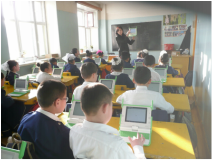
Digital access is about giving every child the equal opportunity to excel in a technology rich environment.  Every student should have access to technology no matter where they go to school.   Having digital access means all students are able to use technology  within their classroom setting at the same time.

Picture

​Benefits?

  • Digital access gives a student the opportunity to learn how to use a device.  Teachers who are leading the lessons have been trained on the different forms of technology and know how to navigate them properly.
  • Students are going to be more confident in a lesson and more willing to participate in something they are excited about. 
  • Digital access improves education. ​It provides a new and improved way for students to learn, but only if all students can use the technology that is being offered. 
Picture

A Note For Parents and Teachers:

It is our job to make sure our children are learning how to use technology effectively in their daily lives.  At the rate we are at students are going to need to know how to use technology for their future jobs one day.  We must make sure all children are given  equal opportunities to be able to succeed through technology.  We need to make a point to help our children become involved in today's digital world and  be life long learners of all types of technology!  
Picture

Things to think about before planning a lesson using technology:

  • Do students know  where to go for help if they are having trouble navigating the technology they are using?
  • Do students know  how and when  to access the technology? 
    • For example:  Can they use technology at any point during the school day or only at certain times?
  • Be ready to have problems arise and have a plan in action  for the most effect  way to solve the problem.
  • Make sure your lesson is designed  to fit the needs of diverse learners and the standards.
  • Have a plan for special needs children, if applicable.  
  • Most importantly, make sure you have taught the students how to properly use the technology.  Go over safety rules  and make sure all students understand what you expect of them.  You want technology to be a great teaching tool in your classroom, and it can be with a little planning before.

Parent, Student, and Teacher Resources

Parents Click Here
students click here
TEACHERS CLICK HERE

References

​Common Sense Media. Retrieved from  https://www.commonsensemedia.org/videos/introduction-to-the-4cs-for-21st-century-learning

International Society for Technology in Education (ISTE) (2015). Retrieved from http://www.isteconnects.org/standards/
            essential-conditions/equitable- access

Jack Dieckmann, MA and Abelardo Villarreal, Ph.D. (2001). Intercultural Development Research Association. Retrieved                                                             from http://www.idra.org/IDRA_Newsletter/May_2001_Self_Renewing_Schools_Technology/Enriching_Your_
​                Classroom_Through_Equitable_Technology_Integration/ 


By:  Casey Patterson

Powered by Create your own unique website with customizable templates.